
Fonts in CSS ka use web page ke text ka style, look aur readability improve karne ke liye hota hai. Sahi fonts in CSS choose karna bahut important hota hai kyunki ye user experience aur website ka overall design impact karta hai.
Table of Contents
ToggleFont Selection Important Kyu Hai
- Sahi font website ko professional look deta hai
- Brand identity strong banata hai
- Readability improve karta hai
- Font ka color aur size bhi important hota hai
CSS font-family Property
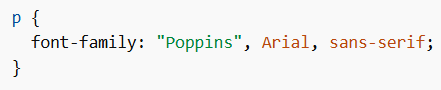
font-family property element ke liye font define karti hai.
- Multiple fonts likhte hain (fallback system ke liye)
- Agar first font available nahi hai, next font use hota hai
- Last me generic family likhna zaroori hota hai
Note: Agar font name me space hai to quotes use karo
Example:
Generic Font Families
Fonts in CSS me 5 main generic font families hoti hain:
- Serif → letters ke edges pe small strokes, formal look
- Sans-serif → clean aur modern look
- Monospace → sab letters same width
- Cursive → handwriting jaisa look
- Fantasy → decorative fonts
Note: Screen par sans-serif fonts zyada readable hote hain.
Web Safe Fonts
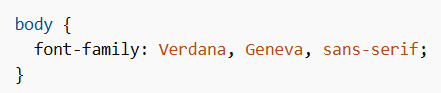
Web safe fonts wo hote hain jo almost har device aur browser me available hote hain.
Important: 100% guarantee nahi hoti, isliye fallback fonts use karo.
Example:
Popular Web Safe Fonts
- Arial
- Verdana
- Tahoma
- Trebuchet MS
- Times New Roman
- Georgia
- Garamond
- Courier New
- Brush Script MT
Font Fallbacks
Fallback fonts ka matlab backup fonts hota hai.
Example:

CSS Font Style
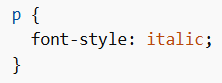
font-style text ka style change karta hai.
Values:
- normal
- italic
- oblique
Example:
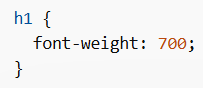
CSS Font Weight
font-weight text ki thickness control karta hai.
Values:
- normal
- bold
- lighter
- bolder
- 100–900
Example:
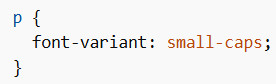
CSS Font Variant
font-variant small-caps effect ke liye use hota hai.
Example:
CSS Font Size
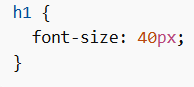
font-size text ka size set karta hai.
Absolute Units
- px
- predefined sizes (small, large, etc.)
Example:
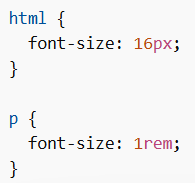
Relative Units
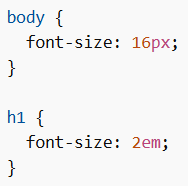
- em
- rem
- %
- smaller / larger
EM Example
REM Example
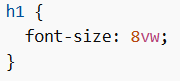
VW Unit
Viewport width ke according font size change hota hai.
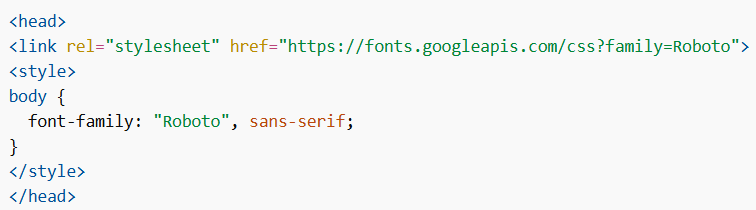
Google Fonts
Agar custom fonts use karna hai to Google Fonts use kar sakte ho.
Example:
Multiple Google Fonts
Example:

Styling Google Fonts
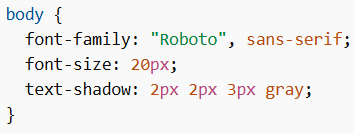
Font Effects (Google Fonts)
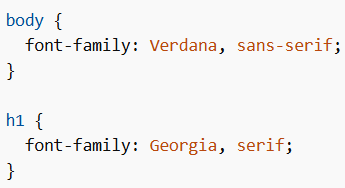
Font Pairing Rules
Good design ke liye font pairing important hai:
- Complement fonts use karo
- Superfamily fonts safe hote hain
- Contrast maintain karo
- Ek font ko main (boss) rakho
Example Font Pairing
Popular Google Font Pairings
- Merriweather + Open Sans
- Ubuntu + Lora
- Abril Fatface + Poppins
- Cinzel + Fauna One
- Fjalla One + Libre Baskerville
- Space Mono + Muli
- Spectral + Rubik
- Oswald + Noto Sans
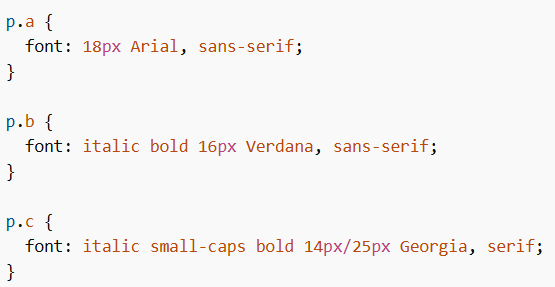
CSS Font Shorthand Property
Multiple font properties ek line me likh sakte ho.
Includes:
- font-style
- font-variant
- font-weight
- font-size
- line-height
- font-family
Rules
- font-size aur font-family required hain
- font-family last me likhna hota hai
- line-height font-size ke baad
/ke saath aata hai
Example
Fonts in CSS se tum apni website ka look, readability aur design improve kar sakte ho. Proper font selection, fallback system, sizing aur pairing use karke ek professional aur attractive UI bana sakte ho.
