
Forms in CSS ka use HTML forms ko style karne ke liye hota hai. CSS ki help se form ka look kaafi improve kiya ja sakta hai.
Forms in CSS me hum different elements ko style karte hain jaise:
- input fields
- labels
- buttons
Styling Form Input Fields
Forms in CSS me different input types ko style kiya ja sakta hai:
- text fields
- password fields
- checkboxes
- radio buttons
- file inputs
Common CSS properties jo Forms in CSS me use hoti hain:
- width
- padding
- margin
- border
- border-radius
- background-color
- color
- font-size
CSS Form Inputs
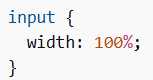
Style Input Width
width property input field ki width set karti hai.
Default width ≈ 20 characters hoti hai.
Example
Specific input type ke liye:
input[type=text]input[type=password]input[type=number]
Style Input Padding
padding input ke andar space deta hai.
margin input ke bahar space deta hai.
Example
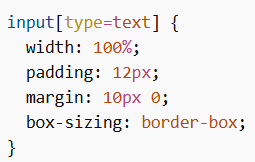
Note:box-sizing: border-box; ensure karta hai ki padding aur border total width me include ho.
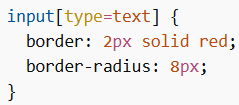
Style Input Border
border se border ka size aur color change hota haiborder-radius se rounded corners milte hain
Example
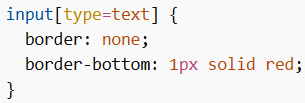
Sirf bottom border:
Style Background Color and Text Color
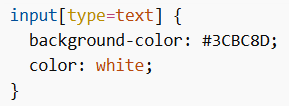
background-color → background change karta haicolor → text color change karta hai
Example
CSS Form Focus and Icons
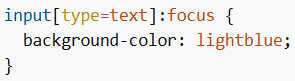
Style Input with Focus
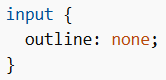
:focus tab apply hota hai jab user input par click karta hai.
Default blue outline remove karne ke liye:
Example
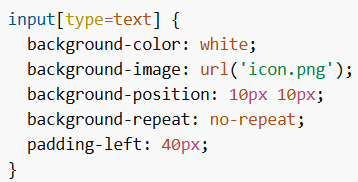
Style Input with Icon/Image
Input ke andar icon add karne ke liye:
background-imagebackground-position
Example
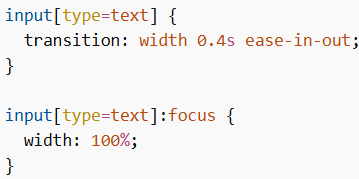
Animated Search Input
transition property use karke animation add kiya jata hai.
Example
CSS Form Elements
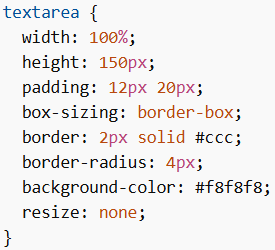
Style Textarea
Default me textarea resize hota hai, use disable kar sakte hain:
Example
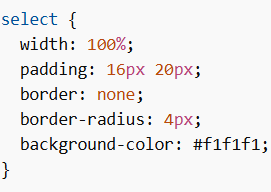
Style Dropdown Menu
Example
Style Form Buttons
Buttons (button, submit, reset) ko bhi style kar sakte hain.
Example
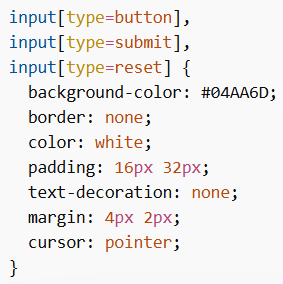
Tip: width: 100% use karke full-width buttons bana sakte hain.
CSS Responsive Form
Forms in CSS me responsive design ke liye media queries use hoti hain.
- Screen < 600px → labels aur inputs vertically stack ho jate hain
- Screen > 600px → side-by-side layout
