

Box Sizing in CSS define karta hai ki kisi element ka width aur height kaise calculate hoga — kya usme padding aur border include honge ya nahi.
Default Box Model
By default calculation aisa hota hai:
width + padding + border = actual widthheight + padding + border = actual height
Iska matlab: agar tum width 300px set karo aur padding add karo, toh actual size 300px se bada ho jayega.
Problem Samajhne ke liye Example
Example:
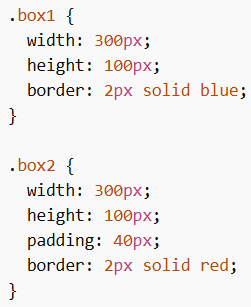
Dono ka width same hai, but .box2 bada dikhega because padding add ho gaya.
box-sizing Property Solution
Box Sizing in CSS ka solution hai box-sizing: border-box;
Isme:
- padding aur border already width/height ke andar include ho jate hain
- element ka size exactly utna hi rehta hai jitna tum set karte ho
Using border-box
Example:
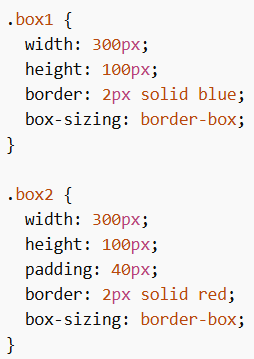
Ab dono boxes same size ke dikhenge.
Apply to All Elements
Best practice hai ki sab elements pe apply karo.
Example:
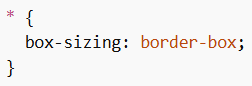
Isse layout consistent aur predictable ban jata hai.
Box Sizing in CSS layout control ko simple aur predictable banata hai. border-box use karne se padding aur border width/height ke andar include hote hain, jisse design consistent aur easy to manage ho jata hai.
