
Overflow in CSS ek important property hai jo control karti hai ki jab content apne container se bada ho jata hai, tab kya hoga.
Matlab:
- Content bahar dikhega?
- Cut ho jayega?
- Ya scrollbars aayenge?
CSS Overflow Values
Overflow in css ke main values ye hain:
- visible – Default value, content box ke bahar bhi dikhega
- hidden – Extra content hide ho jayega
- scroll – Hamesha scrollbars aayenge
- auto – Sirf jab zarurat ho tab scrollbars aayenge
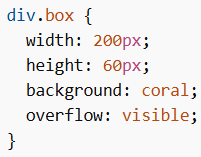
CSS overflow: visible
Default behavior hota hai.
- Content clip nahi hota
- Element ke box ke bahar bhi visible hota hai
Example
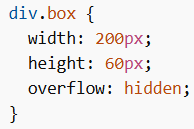
CSS overflow: hidden
- Extra content cut ho jata hai
- User us content ko dekh nahi sakta
Example
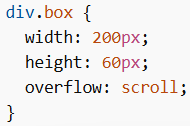
CSS overflow: scroll
- Horizontal + vertical scrollbars hamesha aayenge
- Chahe content fit ho ya na ho
Example
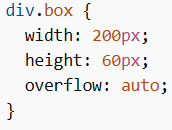
CSS overflow: auto
- Scrollbars tabhi aate hain jab content overflow kare
- Clean aur smart behavior
Example
Overflow in Specific Directions
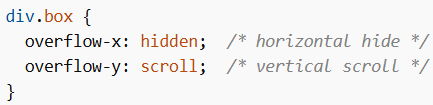
overflow-x and overflow-y
overflow in css me tum horizontal aur vertical control alag se kar sakte ho:
- overflow-x → left/right control
- overflow-y → top/bottom control
Example
Common Use Cases of Overflow in CSS
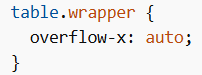
- Horizontal scrolling table
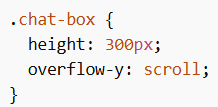
- Chat window scrolling
- Code blocks (long lines)
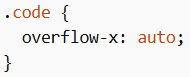
Overflow in CSS ka use extra content ko control karne ke liye hota hai—chahe usse show karna ho, hide karna ho, ya scrollable banana ho. Sahi use se layout clean aur user-friendly ban jata hai.
