
Align in CSS ka use elements ko horizontal, vertical ya dono direction me center karne ke liye hota hai. Different methods use hote hain depending on element type.
Table of Contents
ToggleExample (Flexbox se center):
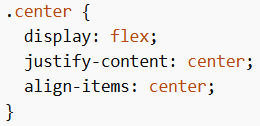
Horizontal Alignment
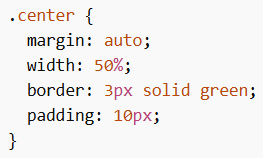
1. margin: auto (Block Elements Center)
Block-level element (jaise <div>) ko center karne ke liye use hota hai.
Note:
- Width dena zaroori hai
- Agar width 100% hai to center align ka effect nahi hoga
Example:
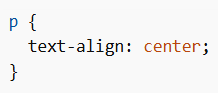
2. text-align: center (Text Center)
Text ko center karne ke liye use hota hai.
Example:
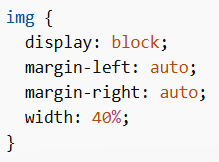
3. Center Align an Image
Image ko center karne ke liye:
- display: block
- margin-left aur margin-right auto
Example:
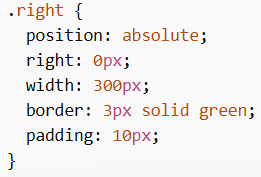
4. Left & Right Align using position
Element ko left ya right align karne ke liye position: absolute use hota hai.
Note:
- Ye normal flow se bahar ho jata hai
- Overlap ho sakta hai
Example:
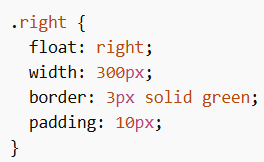
5. Left & Right Align using float
Float ka use karke bhi alignment kiya ja sakta hai.
Example:
Vertical Alignment
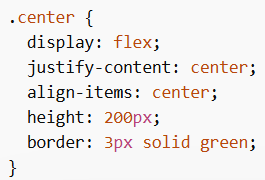
1. Flexbox
Align in CSS me sabse recommended method Flexbox hai.
Example:
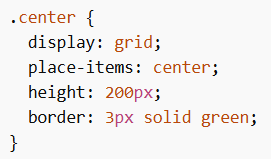
2. Grid Method
Grid ka use karke bhi easily center kar sakte hain.
Example:
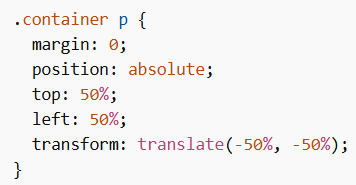
3. Position + Transform
Unknown size wale elements ke liye useful method hai.
Example:
Align in CSS different methods provide karta hai jisse hum elements ko horizontal, vertical ya dono direction me properly center ya align kar sakte hain, jisme Flexbox aur Grid sabse modern aur effective approaches hain.
