
Outline in CSS ek line hoti hai jo element ke border ke bahar draw hoti hai, jisse element highlight ya standout karta hai.
Outline vs Border
- Outline border ke bahar hoti hai
- Ye dusre content ke upar overlap kar sakti hai
- Outline element ke total width aur height ko affect nahi karti
Outline in CSS – Properties
Outline in CSS me ye main properties hoti hain:
- outline-style → outline ka type
- outline-color → outline ka color
- outline-width → outline ki thickness
- outline-offset → outline aur border ke beech gap
- outline → shorthand property
Outline Style
outline-style outline ka type define karta hai.
Values:
- dotted
- dashed
- solid
- double
- groove
- ridge
- inset
- outset
- none
- hidden
Example:
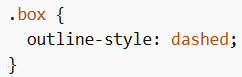
Note: Kuch styles ka effect color par depend karta hai (jaise groove, ridge, inset, outset).
Outline Width
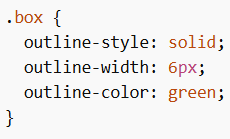
outline-width outline ki thickness set karta hai.
Values:
- thin
- medium
- thick
- specific value (px, etc.)
Example:
Outline Color
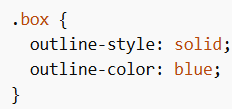
outline-color se outline ka color set hota hai.
Color formats:
- name (red, blue)
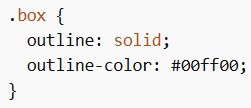
- HEX (#ff0000)
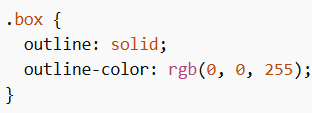
- RGB (rgb(255,0,0))
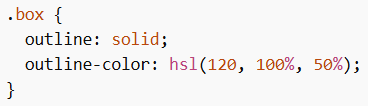
- HSL (hsl(0,100%,50%))
- invert (background ke according visible banata hai)
Example:
HEX Example
RGB Example
HSL Example
Outline Shorthand
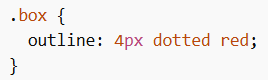
outline property se multiple values ek line me likh sakte ho.
Includes:
- outline-width
- outline-style (required)
- outline-color
Order matter nahi karta.
Example:
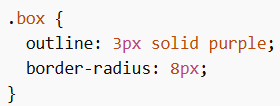
Outline with Rounded Corners
Outline ke saath rounded corners bhi use kar sakte ho using border-radius.
Example:
Outline Offset
outline-offset outline aur border ke beech gap create karta hai.
Example:
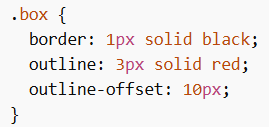
Ye gap transparent hota hai.
Transparent Space Example
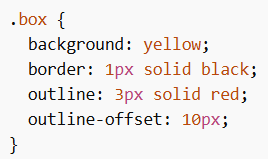
Yahan border aur outline ke beech ka space transparent rahega.
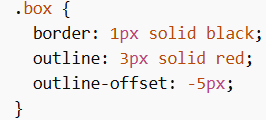
Negative Outline Offset
Negative value use karne se outline andar ki taraf shift hoti hai.
Example:
Outline in CSS element ko highlight karne ke liye use hota hai bina uske size ko affect kiye. Tum style, width, color, offset aur shorthand properties use karke different outline effects create kar sakte ho.
