

Is chapter me Input Attributes in HTML ke baare me detail me discuss kiya jayega.
Common Input Attributes in HTML
Input Attributes in HTML form fields ko control karne ke liye use hote hain.
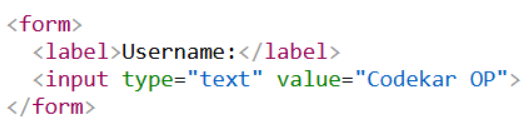
The value Attribute
Input ka value attribute input field ke liye ek initial ya default value set karta hai.
Jab page load hota hai, to yeh value pehle se input box me dikhai deti hai.
Example:
The readonly Attribute
readonly attribute batata hai ki input field sirf read-only hai.
Read-only input field ko user modify nahi kar sakta, lekin us par tab kar sakta hai, text highlight kar sakta hai aur copy bhi kar sakta hai.
Read-only input field ki value form submit karte waqt server ko bheji jaati hai.
Example:

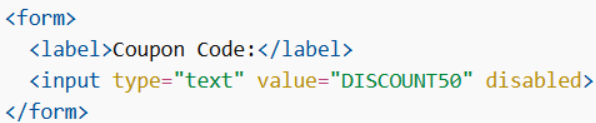
The disabled Attribute
disabled attribute batata hai ki input field disabled hona chahiye. Disabled input field use nahi ki ja sakti aur us par click bhi nahi kiya ja sakta.
Disabled input field ki value form submit karte waqt server ko nahi bheji jaati.
Example:
The size Attribute
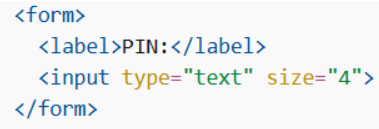
size attribute input field ki visible width (characters me) specify karta hai.
Default size 20 hota hai. Yeh attribute text, search, tel, url, email aur password type ke input ke saath kaam karta hai.
Example:
The maxlength Attribute
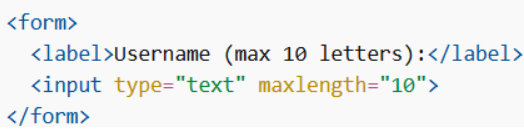
maxlength attribute input field me maximum kitne characters allow hain, yeh specify karta hai. Jab maxlength set hota hai, to user us limit se zyada characters enter nahi kar sakta.
Lekin yeh attribute koi error message nahi deta. Agar alert dikhana ho to JavaScript likhna padega.
Example:
The min and max Attributes
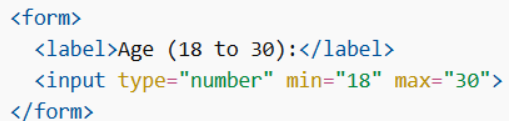
min aur max attributes input field ke minimum aur maximum values set karte hain. Yeh attributes number, range, date, datetime-local, month, time aur week type ke inputs ke saath kaam karte hain.
Inhe saath me use karke valid values ka range banaya ja sakta hai.
Example:
The multiple Attribute
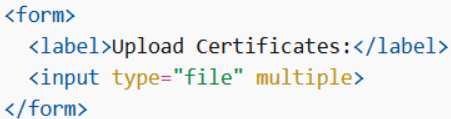
multiple attribute allow karta hai ki user ek se zyada values enter kar sake. Yeh attribute email aur file input types ke saath kaam karta hai.
Example:
The pattern Attribute
pattern attribute ek regular expression specify karta hai jiske against input field ki value form submit ke time check ki jaati hai. Yeh attribute text, date, search, url, tel, email aur password type ke inputs ke saath kaam karta hai.
title attribute ka use karke user ko pattern ke baare me information di ja sakti hai.
Example:

The placeholder Attribute
placeholder attribute ek chhota hint text show karta hai jo expected value ya format batata hai. Yeh text tab tak dikhai deta hai jab tak user koi value enter nahi karta.
Yeh attribute text, search, url, number, tel, email aur password input types ke saath kaam karta hai.
Example:

The required Attribute
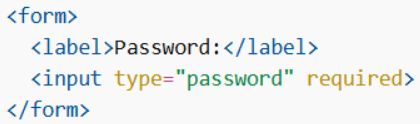
required attribute batata hai ki input field ko form submit karne se pehle fill karna zaroori hai. Agar field empty hogi to form submit nahi hoga.
Yeh attribute text, search, url, tel, email, password, date pickers, number, checkbox, radio aur file types ke saath kaam karta hai.
Example:
The step Attribute
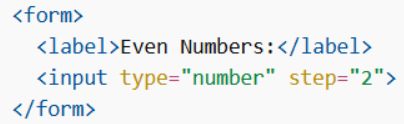
step attribute input field ke legal number intervals specify karta hai. Agar step=”3″ hai, to valid numbers 0, 3, 6, 9 jaise honge.
Yeh attribute number, range, date, datetime-local, month, time aur week type ke inputs ke saath kaam karta hai. Isse min aur max ke saath use karke valid range aur intervals set kiye ja sakte hain.
Example:
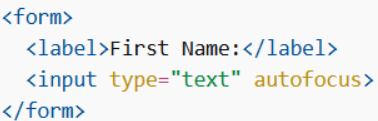
The autofocus Attribute
autofocus attribute specify karta hai ki page load hote hi kaunsa input field automatically focus me aayega. Cursor directly us input field me chala jaata hai.
Example:
The height and width Attributes
height aur width attributes <input type=”image”> element ki height aur width set karte hain. In dono attributes ko specify karna zaroori hai taaki browser page load hote waqt image ke liye proper space reserve kar sake.
Agar height aur width set nahi kiye gaye, to page layout image load hone ke dauran shift ho sakta hai.
Example:

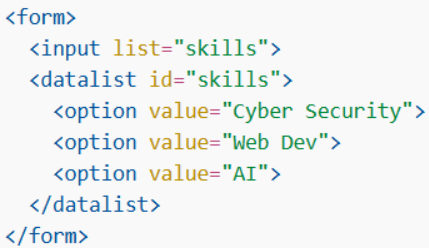
The list Attribute
list attribute ek <datalist> element ko refer karta hai jisme predefined options hote hain.Yeh options input field me suggestions ke roop me dikhte hain.
Example:
The autocomplete Attribute
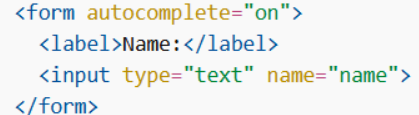
autocomplete attribute specify karta hai ki form ya input field me autocomplete on hoga ya off.
Autocomplete browser ko allow karta hai ki pehle enter ki gayi values ke basis par suggestions dikhaye. Yeh attribute <form> aur text, search, url, tel, email, password, datepickers, range aur color input types ke saath kaam karta hai.
Example:
Is chapter me humne different Input Attributes in HTML jaise value, readonly, disabled, placeholder, required, etc. ke baare me seekha.
