

Forms in HTML user se input lene ke liye use hota hai. Jo bhi user fill karta hai, wo server pe bheja jata hai processing ke liye.
Example:
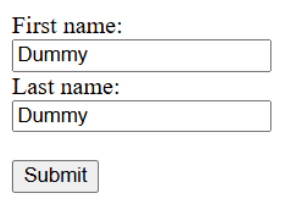
User apna data fill karta hai, phir submit karta hai.
Forms in HTML ke liye various elements hote hain jo niche diye gaye hain.
<form> Element
<form> tag HTML form banane ke liye use hota hai.
Example:

Ye ek container hota hai jisme different types ke inputs hote hain jaise:
- Text field
- Radio button
- Checkbox
- Submit button
<input> Element
<input> sabse zyada use hone wala form element hai. Ye alag-alag type ka ho sakta hai depending on type attribute.
| Type | Use |
| text | Ek line ka text box |
| radio | Ek option select karne ke liye |
| checkbox | Multiple options select karne ke liye |
| submit | Form submit karne ke liye |
| button | Simple clickable button |
Text Field
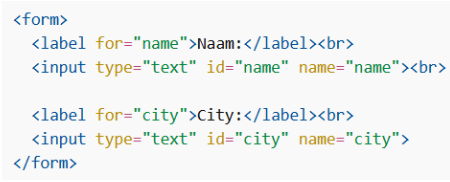
<input type=”text”> ek single-line input box banata hai.
Example:
<label> Element
<label> input ke liye description deta hai.
- Screen reader users ke liye helpful hota hai
- Agar label text pe click karo to radio/checkbox bhi select ho jata hai
- for attribute ka value input ke id ke equal hona chahiye
Example:

Radio Button
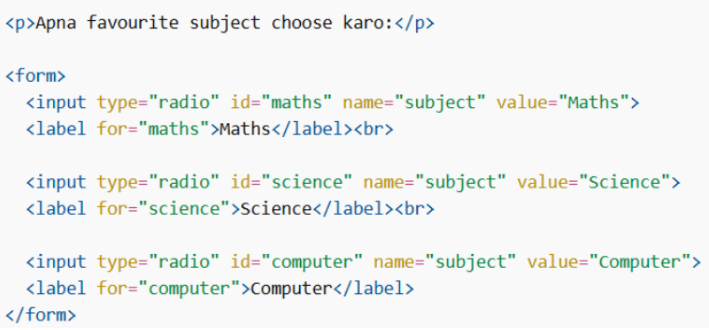
<input type=”radio”> use hota hai jab user ko sirf ek option choose karna ho.
Example:
Checkbox
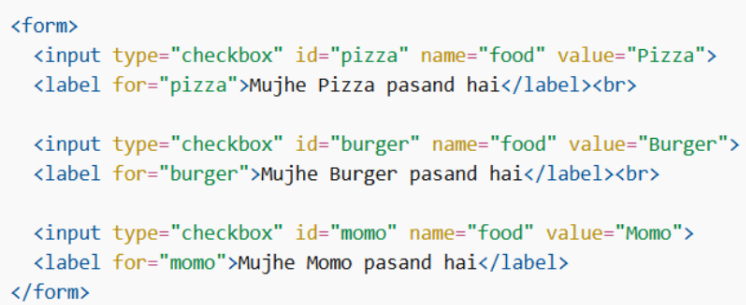
<input type=”checkbox”> use hota hai jab user multiple options select kar sakta hai.
Example:
Submit Button
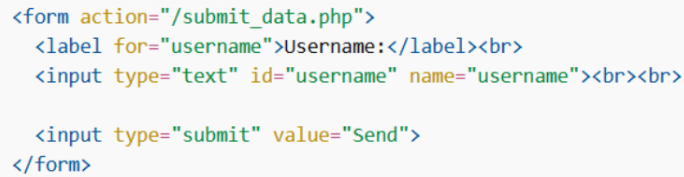
<input type=”submit”> form ko server pe bhejne ke liye hota hai. action attribute batata hai data kaha bhejna hai.
Example:
The Name Attribute for <input>
Har input ka name hona zaroori hai. Agar name nahi diya to us input ka data server pe nahi jayega.
Wrong example:

Right Example:

