
Quotations in HTML following elements include karta hai jaise:
<blockquote>, <q>, <abbr>, <address>, <cite>, aur <bdo>
<blockquote> – Bade Quotations ke liye
<blockquote> tab use hota hai jab aap kisi dusre source se bada quote show kar rahe ho. Browser usually isko thoda indent (andar ki taraf shift) karke dikhata hai.
Example:
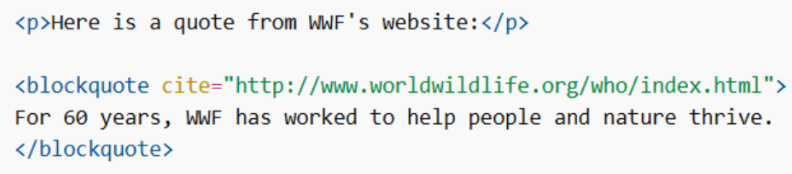
cite attribute me aap source ka URL de sakte ho.
<q> – Short Quotations
Chhota quote likhna ho toh <q> use karo. Browser automatically quotation marks (” “) add kar deta hai.
Example:

<abbr> – Abbreviations
Abbreviation ya acronym define karne ke liye <abbr> use hota hai.
Tip: title attribute use karo taaki mouse hover par full form show ho.
Example:

<address> – Contact Information
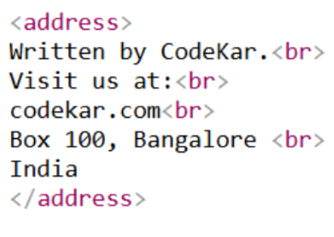
Author ya document owner ki contact info ke liye <address> tag use hota hai.
Isme ho sakta hai:
- Website
- Physical address
- Phone number
- Social media
Browser usually:
- Text italic dikhata hai
- Pehle aur baad me line break add karta hai
Example:
<cite> – Creative Work ka Title
Kisi book, movie, poem, song, painting etc. ka title show karne ke liye <cite> use hota hai. Browser usually isko italic dikhata hai.
Note: Person ka naam title nahi hota.
Example:

<bdo> – Text Direction Change
BDO ka full form hai Bi-Directional Override. Ye text ki direction change kar deta hai.
Example:

dir=”rtl” → right to left
dir=”ltr” → left to right
